
Budget Calculator
Use this free online budget calculator to split your take-home pay with the 50/30/20 rule and see how much to save per paycheck.
Add your expenses too, if you want to see how your real spending compares. Weekly or yearly bills work fine. The calculator turns them into monthly amounts.
I only know my gross pay
Enter amounts per paycheck, using the pay frequency above.
Adds your 401(k) and health insurance to your income, and to the Retirement and Health insurance expenses.
Enter what you actually spend. Leave a field empty if it does not apply.
Saving for something?
Add your income to compare your expenses with the plan.
Table view
| Category | Monthly | Annual | % of income |
|---|
Your numbers stay on this device.
How Much Should You Save per Paycheck?
Under the 50/30/20 rule, set aside 20% of each take-home paycheck for savings and extra debt payments. On a $2,000 paycheck, that’s $400.
For comparison, Americans saved 4.1% of their after-tax income in August 2026, according to the Bureau of Economic Analysis. If 20% feels like a stretch, that’s normal. Starting with 10% still puts you well above that. If you’re saving for something specific, add a goal above and the calculator works out how much you need from each paycheck to reach it by your target month.
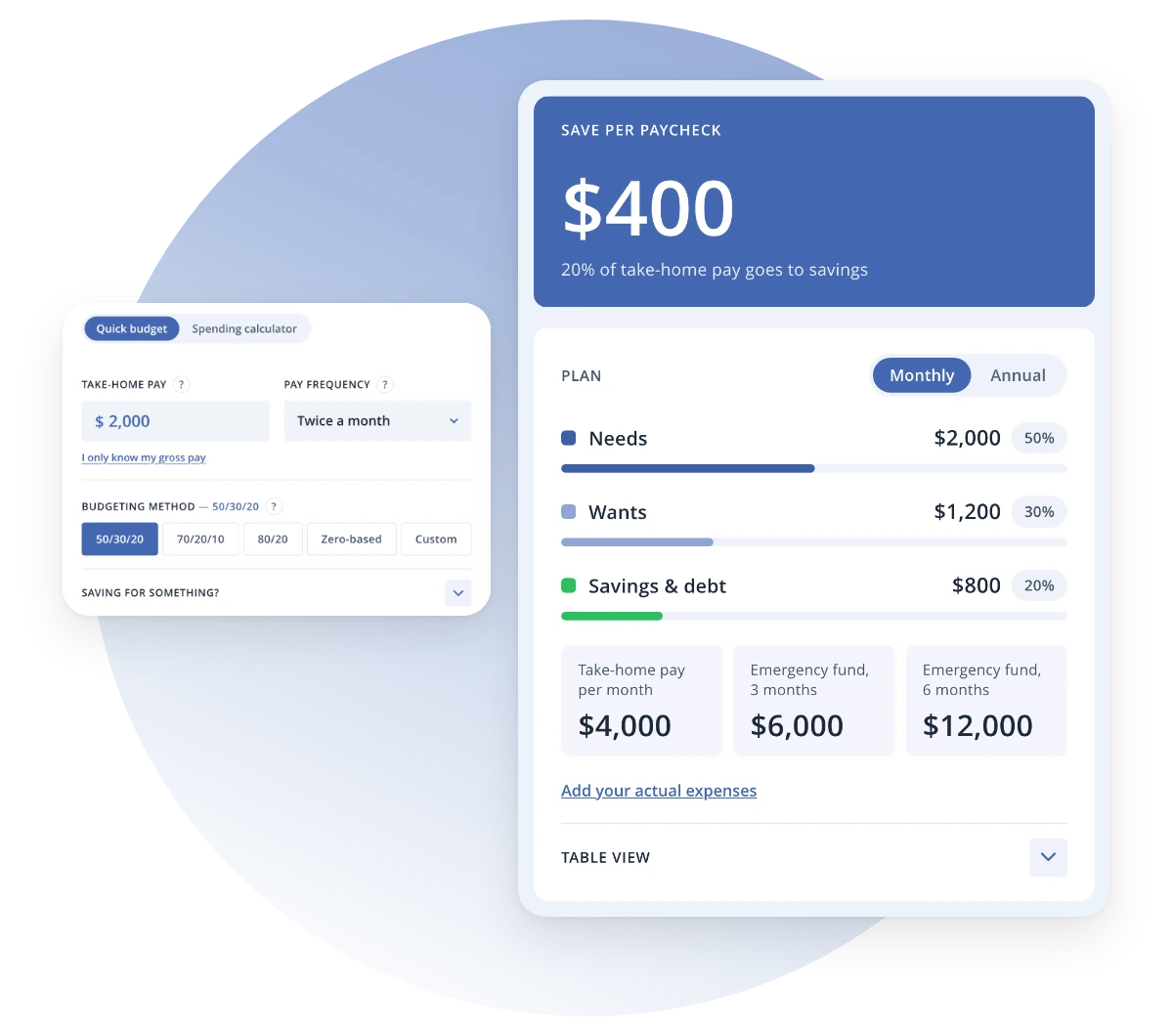
20% savings on $4,000 a month take-home
| Pay frequency | Take-home per paycheck | Save per paycheck |
|---|---|---|
| Weekly | $923 | $185 |
| Every 2 weeks | $1,846 | $369 |
| Twice a month | $2,000 | $400 |
| Monthly | $4,000 | $800 |
Spending Calculator: Check Your Bills Against the Plan
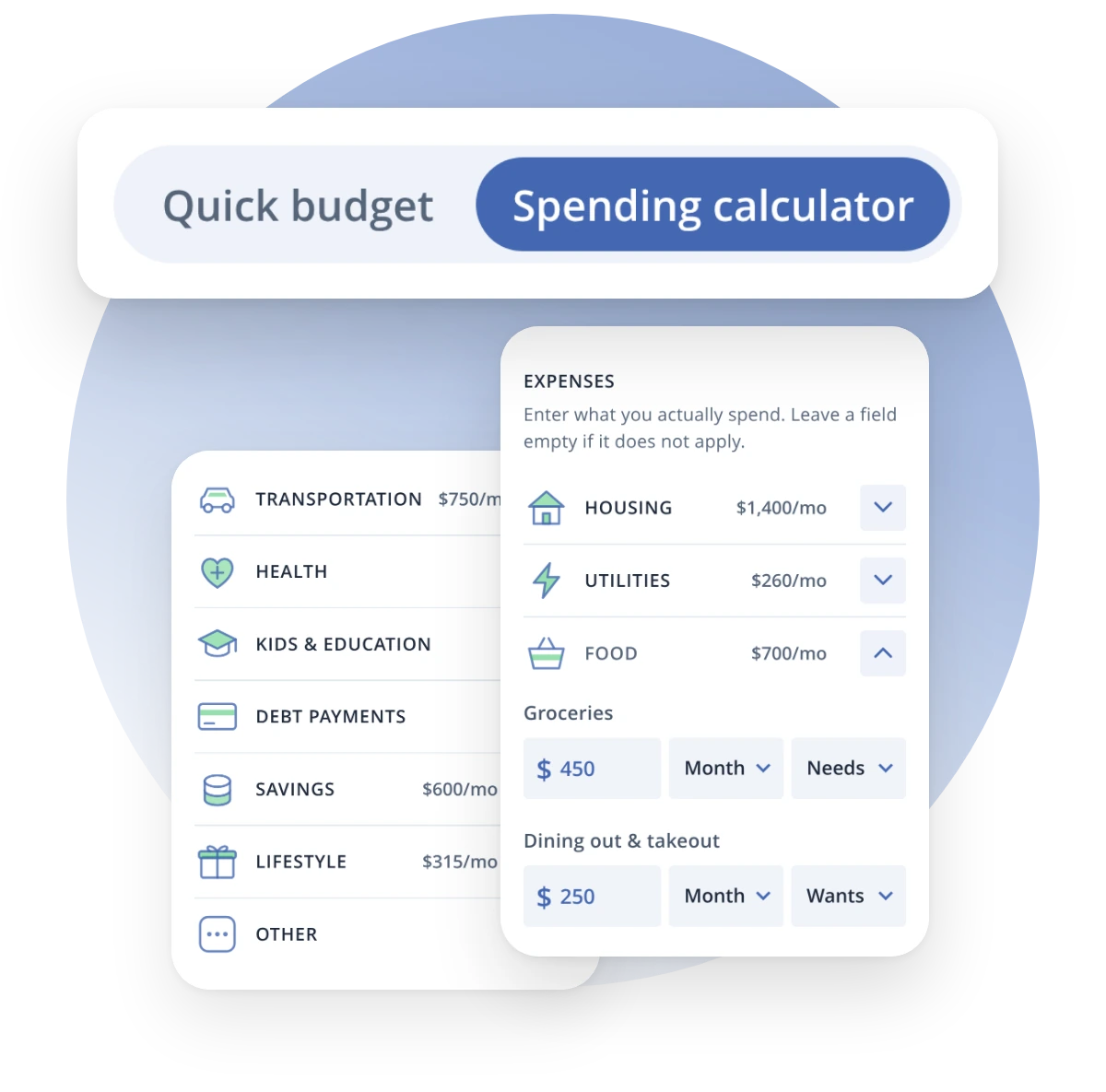
Switch to the spending calculator and enter each bill the way you actually pay it, whether that’s groceries every week or car insurance once a year. Everything gets converted to monthly amounts, and any bucket that goes over shows by how much.
50/30/20 Calculator & Other Budgeting Methods
50/30/20 is the default because it’s the easiest to start with. However, once rent or a mortgage eats more than half of your pay, 50/30/20 stops being realistic, and the average U.S. household spends about a third of its budget on it, according to the Bureau of Labor Statistics. 70/20/10 or a zero-based budget usually works better then.
| Method | Split | Best for | Watch out |
|---|---|---|---|
| 50/30/20 | 50% needs, 30% wants, 20% savings and debt | A first budget, steady income | Hard to hit when rent is high |
| 70/20/10 | 70% living costs, 20% savings, 10% debt or giving | High-cost cities, fixed bills | Needs and wants blur together |
| 80/20 | 20% savings first, 80% for everything else | People who don’t want to track categories | No guardrail on spending |
| Zero-based | Every dollar assigned until $0 is left | Tight months, irregular income | Needs a check-in every month |
How to Budget in 5 Steps
-
Start with your monthly take-home pay. You’ll find it on your pay stub, and it’s usually a lot less than your salary.
-
Write down the bills that stay the same each month, like rent, utilities, and insurance.
-
For everything else (groceries, gas, eating out), go through your last one to three months of bank and card statements and add it up.
-
Pick a method and see how your actual spending lines up.
-
Work on the biggest gap first. Once the numbers work, set up an automatic transfer to savings on payday.
Example: a personal budget on $4,000 a month
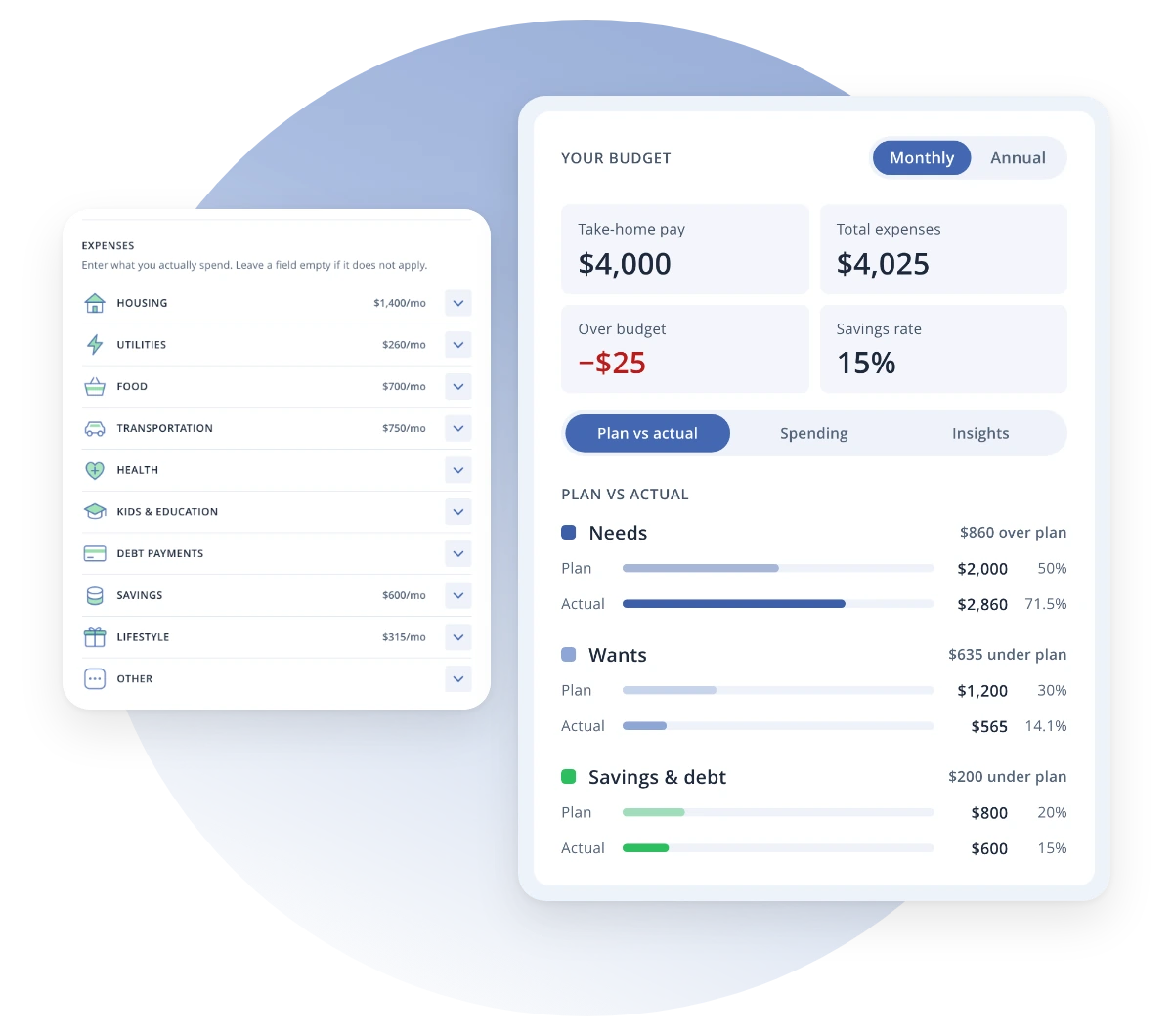
In this example, rent ($1,400) and car costs ($600) push needs up to 72% of income. Wants are already well under target, so cutting fun money won’t close the gap. The fix has to come from housing or transportation.
| Bucket | Plan (50/30/20) | Actual |
|---|---|---|
| Needs | $2,000 | $2,860 |
| Wants | $1,200 | $565 |
| Savings and debt | $800 | $600 |
| Left over | $0 | −$25 |
How the Monthly Budget Calculator Works
Every amount is converted to a monthly figure: weekly × 52 ÷ 12, every two weeks × 26 ÷ 12, twice a month × 2, yearly ÷ 12. Left over is your take-home pay minus all expenses. By default, the calculator puts loan and credit card payments in the savings and debt bucket. If you’d rather count your minimum payments as needs, just move them. Save per paycheck is your monthly savings target × 12, divided by the number of paychecks you get in a year.
The calculator doesn’t estimate taxes unless you enter a tax rate, and it isn’t financial advice.
Turn Your Results Into a Budget Planner
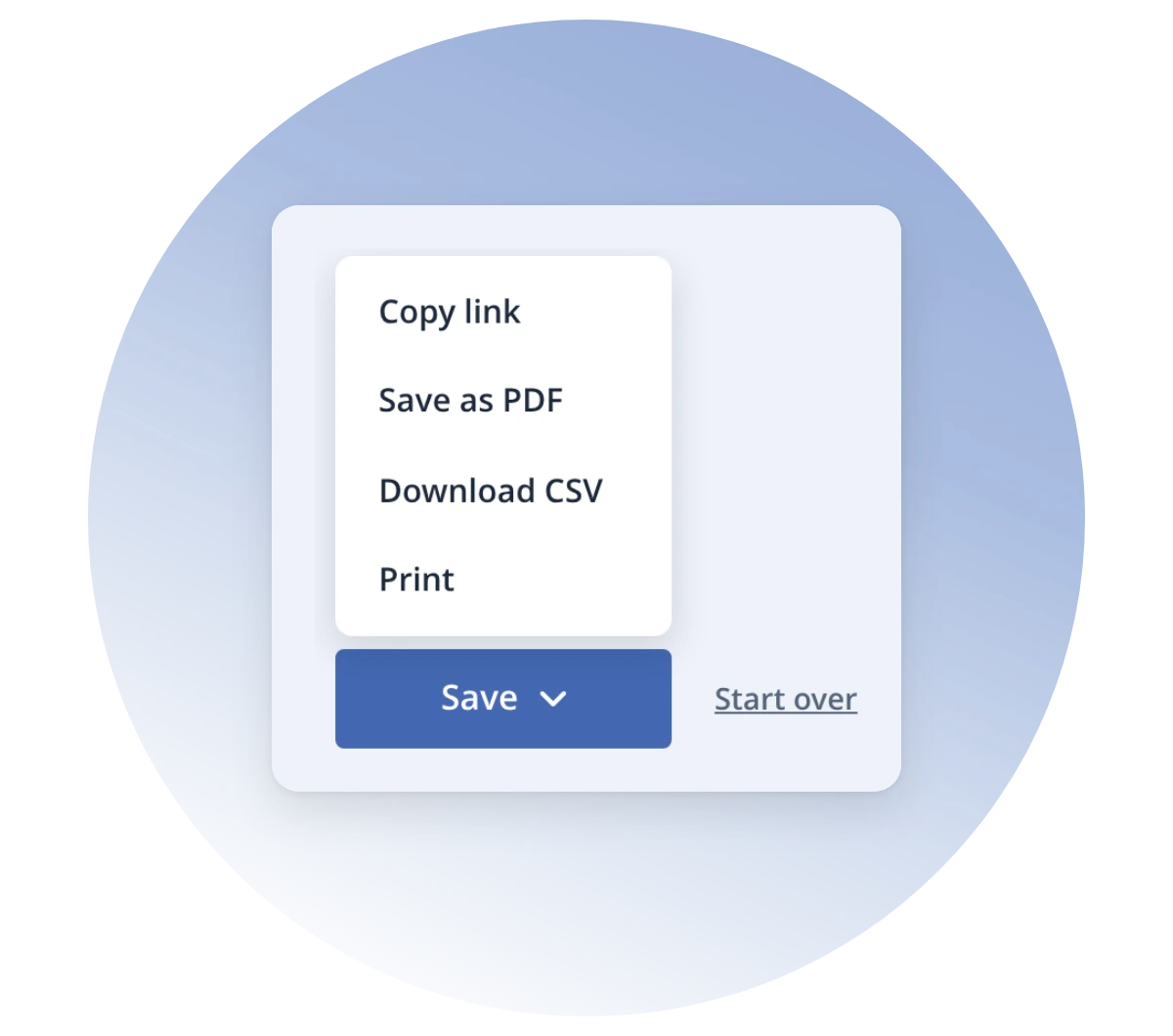
Download your results as a PDF budget planner or a CSV file for your spreadsheet. A copied link reopens your numbers on any device.
Frequently Asked Questions
Is this budget calculator free?
Yes, and there’s nothing to sign up for.
Should I enter income before or after taxes?
After. Use the take-home amount from your pay stub. If you only know your gross pay, open “I only know my gross pay” under the income field.
Can I use this as a money management calculator, or do I need an app?
Yes, for planning. You can set up a monthly budget here without downloading anything. What it can’t do is pull in your transactions, since it isn’t linked to your bank. If you want to track spending day to day, your bank’s app or a budgeting app will do that better.
What counts as needs and what counts as wants?
Rent, groceries, insurance, and getting to work are needs, since you’d still pay for them if money got tight. Streaming, takeout, and most shopping are wants. Things like a phone plan or a gym membership could go either way, so you can move any line to a different bucket.
How much should I keep in an emergency fund?
Most guidelines say three to six months of essential expenses. If that’s too much, aim for one month first. Even a small amount gives you some security, according to the Consumer Financial Protection Bureau, so start with whatever you can set aside each paycheck. The emergency fund calculator can help you set a target.
How do I budget with an irregular income?
Build your budget around your lowest-earning month from the past year. If you made anywhere from $2,800 to $4,500 a month, plan around $2,800. When you earn more, put the extra toward savings or debt. A zero-based budget works well here, since you can adjust the plan once you know what a month actually brought in.
Do you store my data?
No. Everything is calculated in your browser. If you copy a link to come back later, your numbers are saved in the link itself.
Sources
- Bureau of Economic Analysis, Personal Income and Outlays, August 2026 (September 2026)
- Bureau of Labor Statistics, Consumer Expenditures — 2024 (December 2025)
- Consumer Financial Protection Bureau, An essential guide to building an emergency fund